 Rosina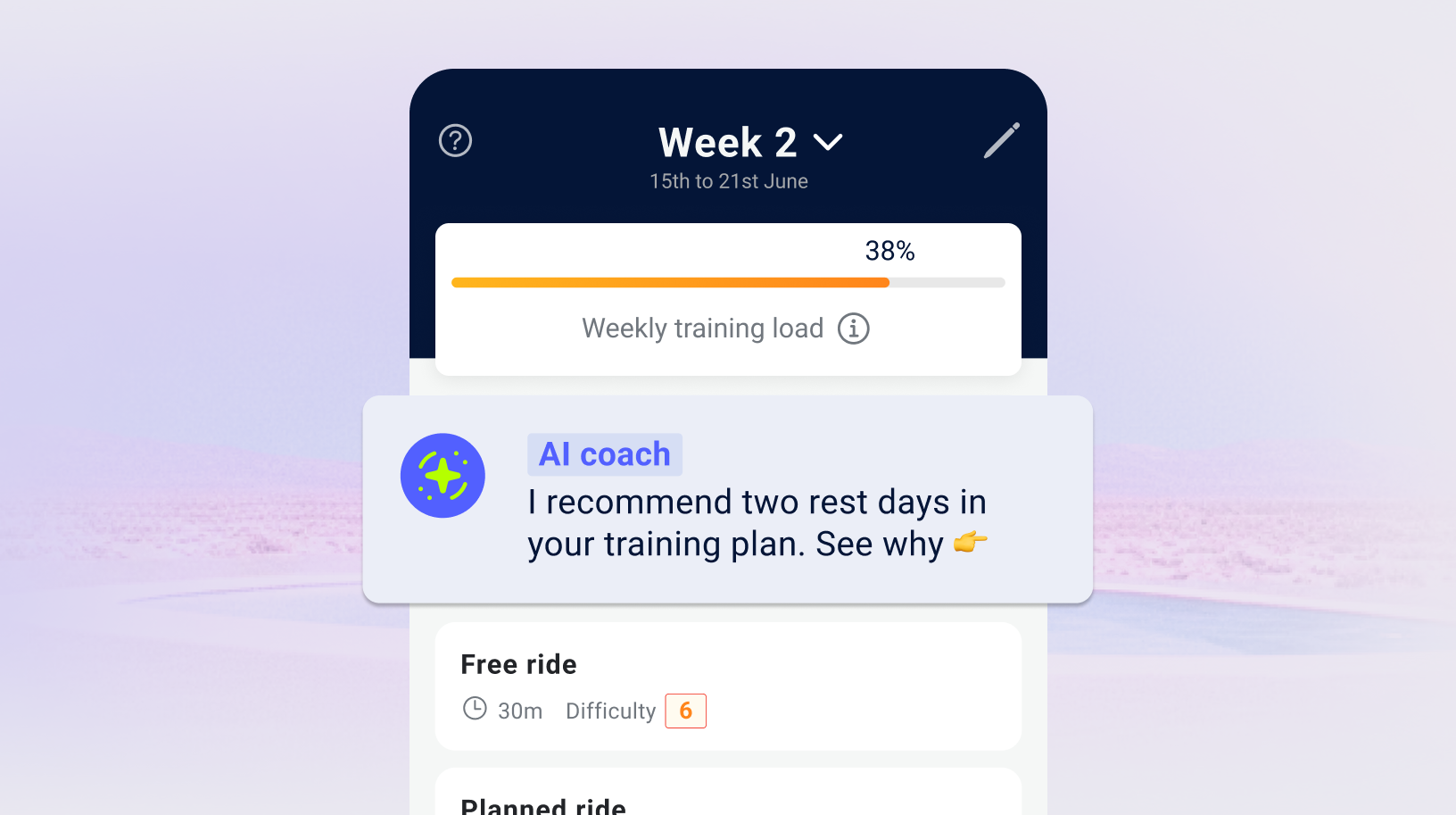
Personalised training started with too much complexity
Early testing showed that newcomers found the web app too complicated and stopped using it within days.
The coach needed information about each rider to create a useful plan. Removing every question would undermine that personalisation. Keeping the experience geared towards experienced cyclists would leave beginners struggling to get started.
I needed to make setup easier to follow while retaining the detail that more experienced riders wanted.
One setup had to support different kinds of riders
I observed how people used the existing product and how training fitted into their daily routines. Riders wanted plans based on their own goals and availability, rather than a schedule they had to fit around.
Beginners needed guidance through setup. Experienced cyclists wanted detailed inputs and control. This led me to keep a shared plan-building journey, with different ways to provide fitness information.
Goals and training days became explicit steps. For fitness, riders could enter their measurements or choose to train by feel.
Break setup into steps with a clear purpose
I organised the plan builder into five steps: choose a goal, add its details, set training days, define fitness and review freshness.
This separates the decisions riders need to make. Someone preparing for an event can add event details, while someone improving their fitness follows the performance route. Both continue into the same questions about availability and fitness.
A visible step indicator shows how far there is to go. Breaking up the questions also gives each one room for explanation.
At the end, the weekly plan turns those inputs into something concrete: sessions organised by day, with workout details available when needed.
Keep riders moving when they don’t know their numbers
Fitness setup could become another barrier if every rider had to provide power and heart-rate measurements.
I kept those inputs available for experienced cyclists and included “I train by feel” for riders without them. Beginners could continue without needing specialist equipment or measurements they didn’t have.
That decision carries the central idea through the flow: ask for useful information in a way the rider can answer.
Designing the journey and the app’s foundations together
As the startup’s first product designer, I worked on the plan builder alongside the colour palette, typography and reusable components.
The same questions, controls and training cards needed to feel connected across the app. Documenting their visual rules gave the two iOS engineers a shared reference as they built the mobile experience.
Final design
A walkthrough of the final plan-builder design.
The reusable components behind the mobile app.
More new riders stayed with the app
- 22%
- Reported increase in new-user retention following the mobile app launch.
The mobile experience gave riders a guided route from choosing a goal to seeing their weekly plan. The retention result reflects the mobile launch as a whole, rather than a separate test of the plan builder.